Event Highlights that Pop: Conference & Activation Recaps in Brisbane
Have you spent weeks planning a Brisbane conference, only to see all the buzz disappear once everyone leaves? The event might be over, but the content you captured can work for months.
At Grizzly Bear Media, we’ve spent over 30 years helping Brisbane brands turn event footage into compelling stories that extend far beyond the day itself. You don’t need a full production house either.
In this guide, we’ll show you how you can use your Brisbane conference highlights to create a standout PR or event video and feature the best moments—crafted with care, almost like a ghostwriter . First, we’ll cover the steps to plan your event video strategy before you pick up the camera.
How to Plan an Effective Event Video Strategy Before Filming
A good event video starts with a clear plan. You need to know who you’re speaking to and what you want them to do after watching.
So before you even touch your camera, let’s walk through what you can do to make your event videos memorable.
Start With Your Video’s Goal
Ask yourself three questions before filming anything.
First, who are you talking to? Are they marketing teams who missed the event, potential clients, or attendees who want to relive the best moments?
Next, why are you making this video? You may be building brand awareness, capturing testimonials, or showcasing your team culture. Finally, what happens next? Do viewers book a consultation, register for next year, or share your content?
If you answer these questions upfront, you’ll know exactly what to capture and how to structure it.
Plan Before You Film
Like we mentioned earlier, you need a plan first. You can just start with a simple one-page brief and list the important moments you want to record, like keynote speeches and audience reactions.
Then, brief your videographer on what to capture first. Tell them which attendees to film, what branded moments to catch, and the overall vibe you’re after. This will save you hours of work later. You won’t have to dig through tons of footage looking for usable clips.
Think Ahead to Where It Will Live
Your footage needs a home, so plan for that early.
If you’re posting to Instagram Reels, shoot vertical clips that feel energetic and quick. For LinkedIn or team meetings, a horizontal format works better and gives you more professional context.
The platform will also determine clip length and music. For example, a 15-second highlight Reel usually needs upbeat music and fast cuts. But a three-minute recap for clients will need smoother pacing and clearer audio quality.
Tools and Tricks
AI-powered editing tools like Descript can speed things up without losing quality. They let you create captions automatically, add dynamic transitions between scenes, and even clean up messy audio.
You’ll only need to throw in text overlays to highlight key stats or quotes from speakers, and pick music that matches your event’s vibe (energetic for activations, calm for conferences).
Now that you’ve got your strategy sorted and your tools ready, let’s talk about how Brisbane brands are putting this into practice.
How to Edit Brisbane Event Videos Into Engaging Stories
You’ve got hours of footage from your Brisbane event, but how do you turn it into something people want to watch? It’s all in how you edit and tell the story. Here’s how you can get it right:
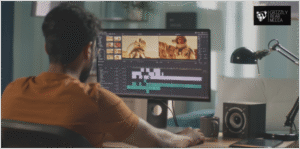
What to Capture During the Event
You need a few key shots to make any event video work. Start with speakers on stage, then capture how the audience reacts. Next, capture your branding around the venue, like banners and booths.
And don’t skip the behind-the-scenes stuff either. Those candid moments of your team setting up or attendees chatting during breaks often make the most authentic stories.
Put Your Story Together
Once you have all your footage, don’t just throw your clips into an editor and hope for the best. That’s how you end up with boring content no one finishes watching.
Instead, pick music that carries the feeling from one clip to the next (like using a lively beat to transition from setup shots to the main event). Then layer in text overlays with key quotes or stats from your conference. The idea is to make the video feel seamless.
Pro tip: Your opening will set the mood, your middle will show the energy, and your ending should make people remember why the event stood out to them.
Match the Vibe to Your Brand
Is your brand more calm and thoughtful or loud and exciting? This is important because you need to expect different moods depending on the event type. For example, using the same music for a tech launch and a corporate awards night will feel off and confusing.
Now, if your company is casual and fun, you should lean into that by using bright colours and playful captions. But if you’re more serious and polished, it’s best to keep things clean and simple in your editing style so everything feels cohesive.
Create Multiple Versions
Here’s a tip to save time: edit different versions for different places. This means you’ll make a 30-second recap video for Instagram that shows your key moments. You can then make a longer version for your team or clients who want more detail.
Modern AI-powered tools, like CapCut, Descript, and InVideo, make this process easier by letting you repurpose content without starting from scratch. Just swap the music, change the format, update the captions, and you’ve got fresh posts ready for different platforms.
Ready to Maximise Your Event’s Reach?
You’ve already done the hard work of planning and running your event. Now keep the momentum going with a short recap or highlight video.
Use the video to re-engage attendees who want to relive their favourite moments from the day. Share it with potential clients who couldn’t make it but want to see what they missed. You can even send it to your internal teams so everyone knows what happened and stays connected.
And if you captured decent footage during the event, you can pull all of this together with just a few clicks using modern editing tools.
If you need help turning your corporate events into content that people actually watch and share, that’s what we do.
Contact Grizzly Bear Media today, and let’s chat about your next project and how we can help.